
TeaTV APK Download Information, Version & Android Guide
Looking for TeaTV APK information? The newest independently traceable archive record is v11.1.8r-release (build 234), dated March 16, 2026. The archived file is 14.1 MB and requires Android 4.4+, but its original signature was changed. This guide explains that risk, TeaTV’s reported discontinuation, device compatibility, safe file checks, installation steps and fixes for missing links or TPlayer errors.
We could not authenticate a current owner-controlled download channel. The button opens a verification checkpoint—never an unverified APK automatically.
What Is TeaTV?
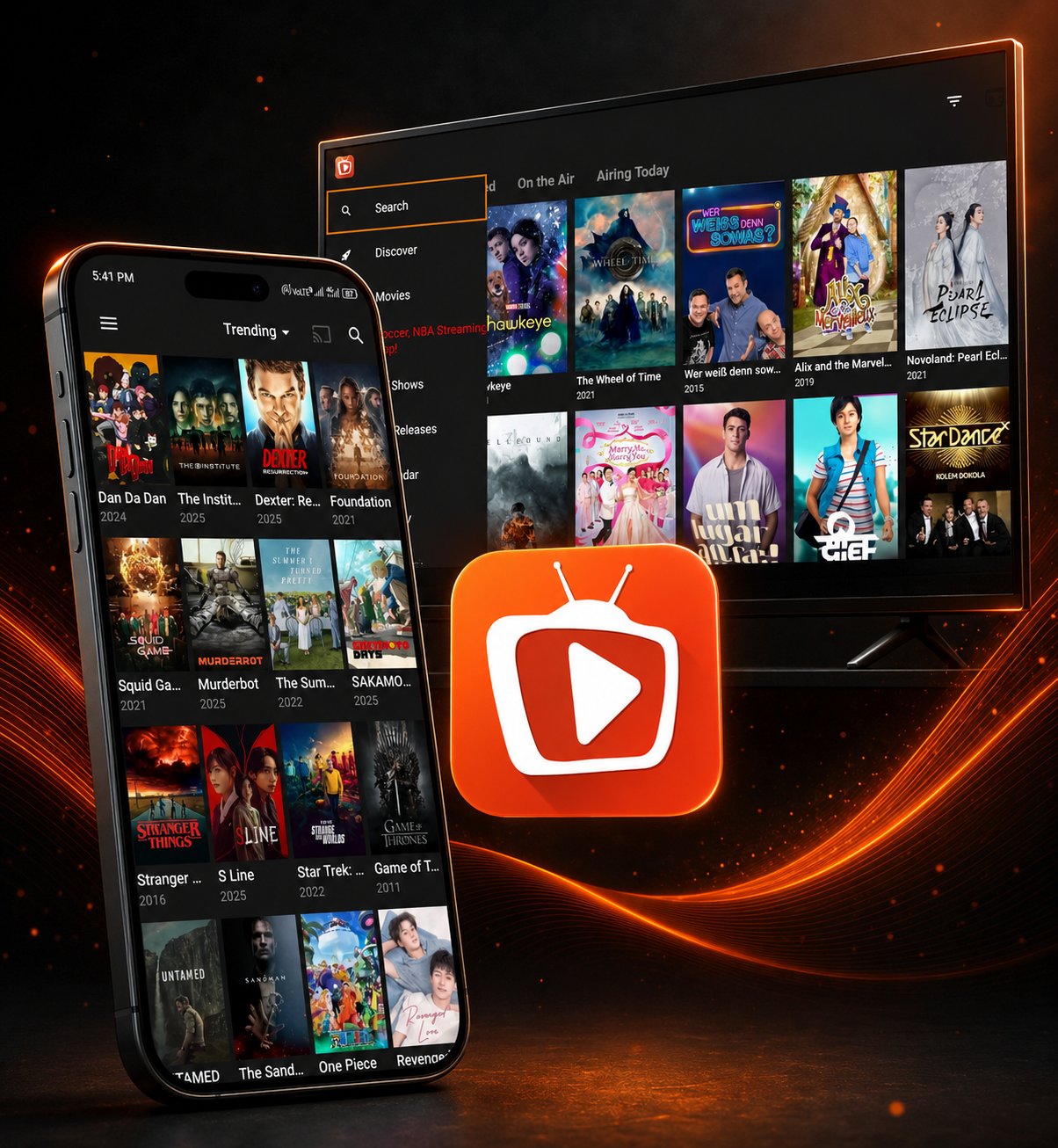
TeaTV is a third-party Android application historically used to browse movie and television listings and request playback links from external sources. It is not the same thing as a licensed streaming library: installing the app does not guarantee that a title, source or subtitle will be available.
Older TeaTV builds have offered search, watch history, subtitles, downloads and internal or external playback, including TPlayer. Those functions depend on the specific build, device and source availability. TeaTV has mainly circulated as a sideloaded Android APK; we found no authenticated current Google Play publisher page.
This independent page does not own TeaTV, host the APK or call third-party files “official.” It separates traceable archive facts from user reports and unverified download-site claims.
More about this resource
TeaTV Features & Supported Functions
Explore the features historically associated with TeaTV and its Android ecosystem. Availability can vary by version and current service status.
Movie & TV Discovery
Browse a catalog-style interface for discovering movies and television content.
Quick Search
Search for titles instead of manually browsing through large content categories.
Multiple Sources
Historical TeaTV releases have relied on multiple external sources for available playback links.
Subtitle Support
Subtitle options have been available in supported versions and playback configurations.
External Player Support
TeaTV has been used with external video players for playback in supported setups.
Android TV Support
TeaTV has historically been distributed for Android TV and remote-based navigation.
Download Support
Some versions have provided download functionality for supported media.
Watch History
Supported versions can retain viewing history and related user preferences.
TeaTV Supported Devices & Platforms
Platform support differs by release and installation method. Android is the primary platform associated with TeaTV APK distribution; other device routes should be treated as compatibility or workaround information rather than proof of an official native release.
TeaTV for Android
Android is the native platform associated with TeaTV. The traced build supports Android 4.4 and newer, although a newer OS does not guarantee working sources.
TeaTV for Android TV
Older builds were designed to work on Android TV-class devices with remote navigation; present service availability varies.
TeaTV on Firestick
Fire TV uses an Android-based sideloading route, but users have reported app-disabled or blocking notices. Device policy can prevent launch even when installation succeeds.
TeaTV on Windows
No verified native Windows release was found. A compatible Android emulator such as BlueStacks or Nox is a PC bridge, not an official PC version.
TeaTV on iPhone & iPad
No verified native iOS app, authenticated PWA or owner-controlled web player was found. Android APK files cannot run natively on iPhone or iPad.
TeaTV APK Information & Version Details
These are properties of the newest independently traceable archive record—not proof of an official release. The archive itself marks the file as modified and says its original signature changed.
| Specification | Details |
|---|---|
| App Name | TeaTV |
| Application Type | Android Streaming App |
| Traceable Version | 11.1.8r-release |
| Build Number | 234 |
| Archive Date | March 16, 2026 |
| File Size | 14.1 MB |
| Minimum Android | Android 4.4 (KitKat) |
| Target SDK | Android API 19 |
| CPU Architectures | armeabi-v7a, arm64-v8a, x86 and x86_64 |
| Package ID | com.oe.photocollage |
| Platform | Android |
| Android TV | Historically supported |
| File Structure | Single APK record; no separate OBB is listed |
| License / Price | Historically free; no verified paid Google Play listing |
| Internet | Required for online streaming |
| Offline | Downloaded media may be available in supported versions |
| Player Support | Internal/external playback has been supported; TPlayer reliability is currently mixed |
| Signature Status | Archive reports the original package signature was changed; modified/re-signed copy |
| Source Confidence | Moderate for metadata; low for publisher authenticity |
| Current Service Status | Unsupported; limited legacy functionality may remain |
TeaTV APK Download: Verify the File First
No authenticated current TeaTV download channel was found. The traceable v11.1.8r-release archive record is useful for metadata comparison, but it explicitly reports that the APK was modified and its original package signature changed. That means it cannot be presented here as an authenticated publisher-signed release.
Use the facts above as a checkpoint before downloading TeaTV from any third party. Confirm that the page discloses who uploaded the file, compare the package ID and size, request a cryptographic hash, scan the exact file and inspect its signing certificate. Never treat a matching filename as proof of safety.
Match Metadata
Version, build, size and package IDVerify Signature
A changed signer blocks trusted updatesScan the Exact File
Use its hash, not a screenshot or claimReview Permissions
Deny access unrelated to playbackDownload notice: this independent page does not host or automatically serve an APK. Only add a direct button after you can verify the exact file, signer, hash and distribution rights.
How Does TeaTV Work?
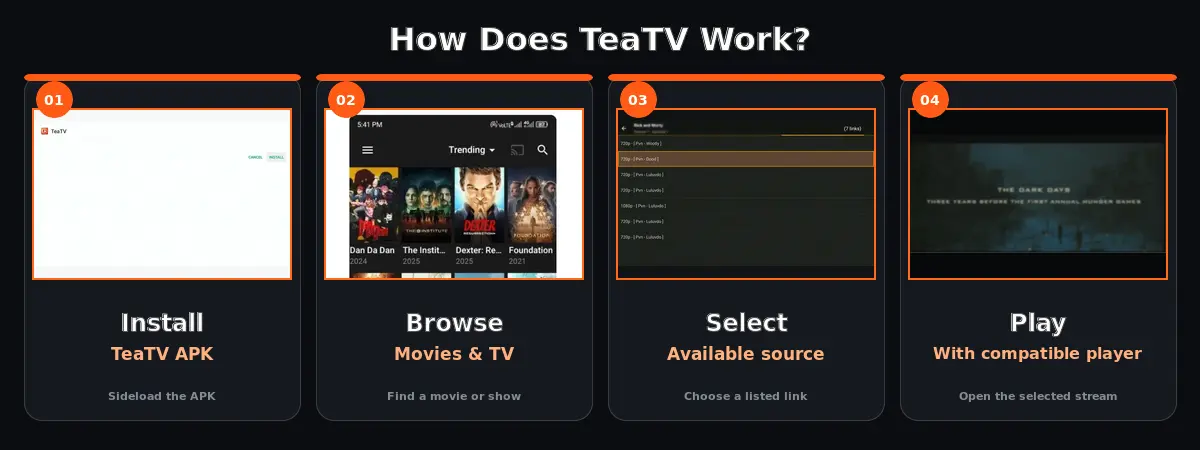
TeaTV has historically worked as an app interface that displays movie and TV information and then relies on available external sources for playback. The general workflow is to install a compatible APK, browse or search for a title, review the available sources and start playback with a compatible player. If no playable sources are returned, reinstalling the APK will not necessarily fix a source-side or service-side problem.
Install
TeaTV APK
Browse
Movies & TV
Select
Available source
Play
With compatible player
TeaTV Interface & App Experience
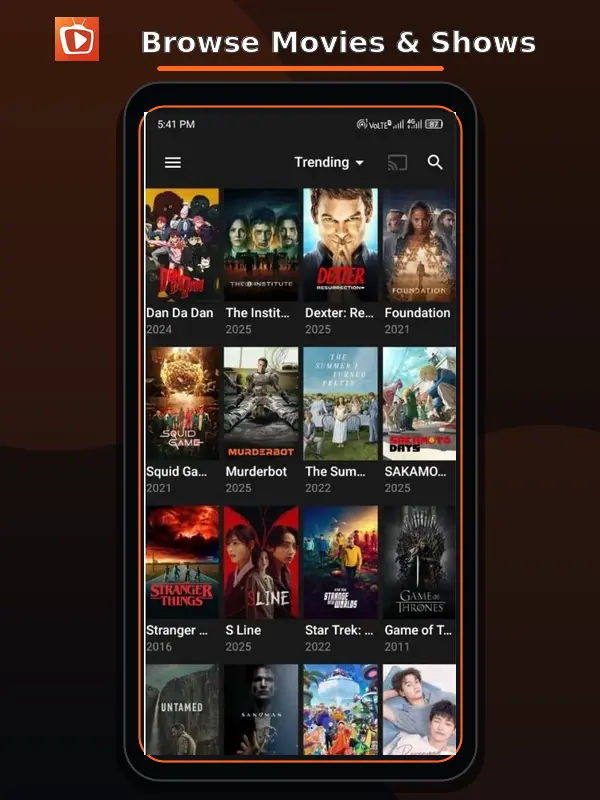
Browse Movies & Shows
Browse the available catalog through the TeaTV interface.
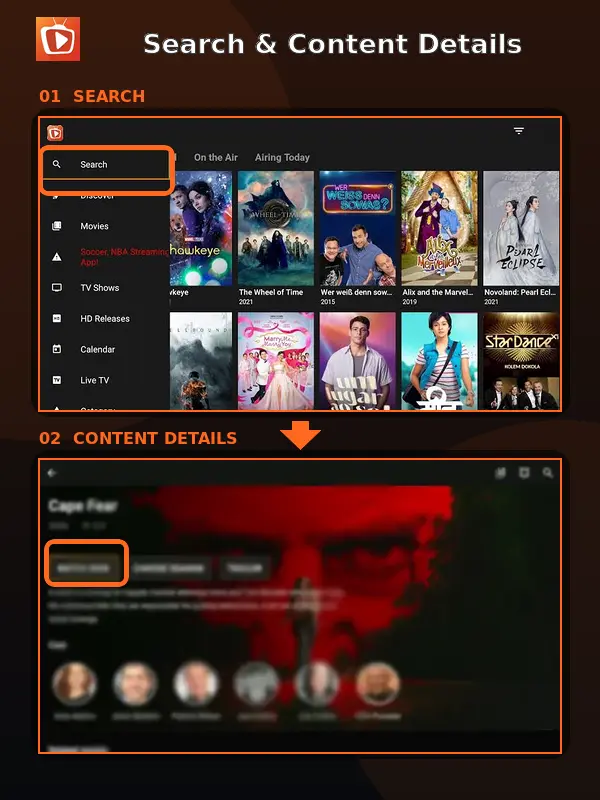
Search & Content Details
Search for a title and review available information.
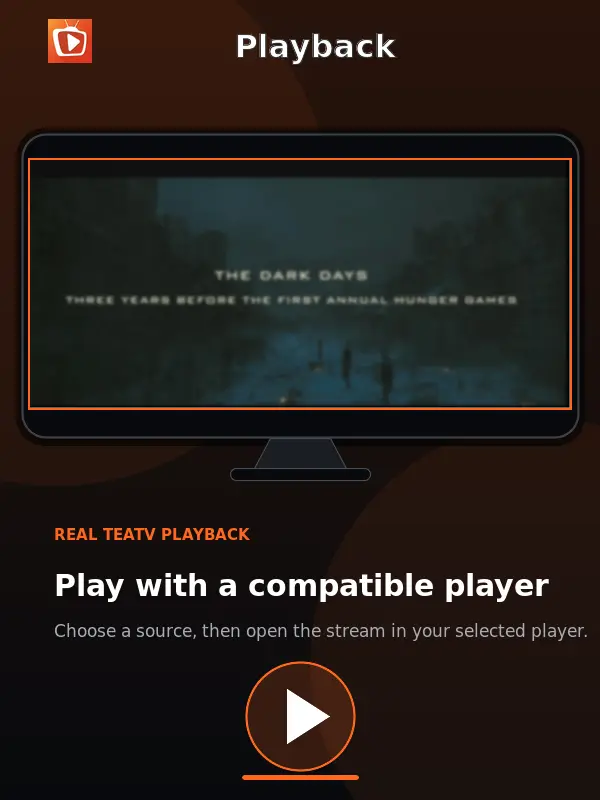
Playback
Playback may use an integrated or external player depending on the setup.
How to Install TeaTV APK on Android
Installing a TeaTV APK uses the standard Android sideloading process. Because no independently verified current official Google Play distribution was identified, the important step is not simply downloading a file but checking its provenance, version information and permissions before installation.
Verify the APK
Check its source, SHA-256 hash, signer, package ID and malware-scan result.
Allow This Source
Temporarily allow your browser or file manager to install unknown apps.
Install & Inspect
Open the verified file, review Android’s prompts and deny unrelated permissions.
Close the Sideload Door
Turn off “install unknown apps” for that source after installation.
If Android reports “App not installed” while another TeaTV copy is present, a signing-certificate conflict may be the cause. Back up any data you need before uninstalling; replacing one signer with another is not a trusted update path.
TeaTV Installation Guides by Device
Select a device to open a short, point-to-point installation guide without leaving this page.
Android
Install a verified APK safely.
Android TV
Sideload with TV controls.
Firestick
Use the Fire TV installation route.
Windows
Run through an Android emulator.
iOS
Understand the platform limitation.
TeaTV Version History & Documented Releases
Only two neighboring release labels could be traced with useful archive evidence. We removed the unsupported dates, build codes and “feature hooks” commonly repeated by download sites.
| Version | Build | Date | Changelog / Evidence | Confidence |
|---|---|---|---|---|
| 11.1.8r-release | 234 | Mar 16, 2026 | No authenticated publisher changelog found. Archive flags the copy as modified/re-signed. | Moderate metadata |
| 11.1.7r-release | 197 | Not established | Listed as the preceding version in the same archive; no authenticated changelog or release date found. | Partial |
Other sites publish conflicting build numbers and dates for 11.1.7. Until a publisher-signed record or reproducible artifact confirms them, they should not be added as facts.
TeaTV Troubleshooting: Not Working, No Links & Installation Errors
Installing an APK does not guarantee that TeaTV sources will remain available. Commonly reported problems include TeaTV not working, missing streaming links, buffering, installation errors, parsing errors and subtitle or external-player issues. Start with the symptom that best matches your problem.
No Streaming Links
Likely cause: external resolvers or sources are unavailable. Fix: test several titles and networks, clear cache, then wait and retry. Reinstalling cannot repair a service-side outage.
TPlayer Opens or Loops
Likely cause: broken player handoff, stale association or unavailable stream. Fix: update/reinstall TPlayer from its trusted source, clear both apps’ cache and test another player if TeaTV offers one.
“App Not Installed”
Likely cause: signer conflict with an installed copy, damaged file or incompatible CPU. Fix: verify the file and architecture; only after backing up, remove the conflicting copy and retry.
Package Parsing Error
Likely cause: incomplete download or incompatible Android build. Fix: compare the hash/size, download again from a reviewed source and confirm Android 4.4+.
Constant Buffering
Likely cause: slow or overloaded source rather than device performance. Fix: test another legal source, lower quality, reboot the router and disable battery/data restrictions for the player.
Subtitles Missing
Likely cause: unavailable subtitle track or player mismatch. Fix: change subtitle provider/language, resync the track or try a compatible external player.
Fire TV App Disabled
Likely cause: Fire OS security policy or remote app blocking. Fix: read the device notice, update Fire OS and do not bypass a safety block with renamed or repackaged APKs.
Only One Device Fails
Likely cause: stale app data, DNS/network filtering or device policy. Fix: force stop, clear cache, reboot and compare on the same network before clearing data.
Why Is TeaTV Not Working?
The strongest current explanation is that TeaTV is unsupported and its external-source ecosystem is degrading unevenly. That fits reports of an in-app discontinuation notice, missing links and temporary returns on some devices. It does not prove every installation is offline.
Source Availability
External sources may stop returning playable links.
Service-Side Changes
An installed interface can still open while its resolvers, catalogs or playback dependencies stop responding.
Unsupported Repackages
A higher version label cannot restore a discontinued service and may introduce a different signature or unwanted code.
TeaTV Old Versions & Historical APK Releases
Only the two entries below have enough traceable evidence to include. This is not yet a five-version archive hub: publishing a longer list would require guessing at conflicting third-party records.
11.1.8r
Build 234Mar 16, 202611.1.7r
Build 197Date not establishedArchive Rule
No guessed datesNo invented changelogsTeaTV Alternatives
If TeaTV is unavailable or no longer provides the sources you need, an alternative may be more practical than repeatedly reinstalling the same APK.
Stremio
A widely used media-center application with a different add-on based model.
Legal Streaming Services
For users who prioritize licensed content and stable support.
Other Media Players
For users who already have legally obtained media and need playback tools.
TeaTV APK Safety, Verification & Source Checks
We cannot certify a current TeaTV APK as safe or official. The newest traceable archive entry reports that its original package signature was changed. A re-signed APK might have been altered for benign or harmful reasons; without an authenticated publisher certificate and reproducible hash, the change breaks the chain of trust.
Package ID com.oe.photocollage is an unusual identifier for a streaming app and is useful only as a comparison point—not proof of identity. Compare the signer and SHA-256 hash before updates, scan the exact file with more than one engine, and reject permissions that do not match the feature you are using. A differently signed copy can also conflict with an installed version.
TeaTV has also been associated with external content sources. Availability can therefore change independently of the installed APK, and the legality of particular streams depends on the source and the laws that apply in the user’s jurisdiction.
Record SHA-256
Identify the exact fileCompare Signer
Do not mix update certificatesReview Permissions
Deny unexplained accessUse Authorized Media
Respect content rights and local lawHow We Verify TeaTV Information
TeaTV information changes quickly and download pages do not agree on versions, publishers or availability. We label the evidence type so readers can distinguish archive metadata, user reports and unauthenticated claims.
1. Archive Metadata
Version, build, date, size, Android requirement and package details come from a traceable APK archive record.
2. Signature Disclosure
The same archive’s changed-signature warning is preserved rather than hiding it behind an “official download” label.
3. Recent User Reports
Discontinuation and service behavior are summarized as reports, not promoted to owner-confirmed facts.
4. Conflict Rule
Dates, builds and changelogs are omitted when sources conflict and no stronger artifact settles the difference.
| Evidence | What it supports | Confidence / Link |
|---|---|---|
| Appteka archive record | v11.1.8r-release, build 234, date, size, Android requirement, CPU support, package ID and changed-signature notice. | Open archive evidence |
| May 2026 user reports | In-app discontinuation/no-support notice reported by multiple users; not owner-confirmed. | Open discussion |
| Later service reports | Mixed legacy behavior: limited links for some users and failures for others. | Open discussion |
Last evidence review: August 29, 2026. No owner-controlled current download page, source repository or shutdown announcement was located. New claims should be added only when a signed artifact or stronger primary evidence appears.
TeaTV Frequently Asked Questions
Answers based on documented version evidence, current web research and reported user experience. Where evidence is uncertain, the answer says so.
What is TeaTV?
TeaTV is a third-party Android application historically used to browse movie and TV listings and request playback links from external sources. It does not itself guarantee a licensed catalog or working source.
Is TeaTV available on Google Play?
No independently verified current official Google Play distribution was identified in this research. Treat APK download pages that describe themselves as official with caution unless publisher evidence can be established.
What is a TeaTV APK?
A TeaTV APK is the Android application package used to install a TeaTV build outside the normal app-store installation process. The APK filename or version number alone does not prove that a file is authentic.
Does TeaTV work on Firestick?
TeaTV APKs have historically run on Android-based Fire TV devices, but current users may encounter app-disabled or blocking notices as well as missing sources. Follow the Fire OS notice and do not bypass a safety block with a renamed or repackaged APK.
What is the latest documented TeaTV version?
The newest independently traceable record is v11.1.8r-release, build 234, dated March 16, 2026. It is 14.1 MB and requires Android 4.4+, but the archive reports a changed original signature, so it is not an authenticated official release.
Is TeaTV free?
TeaTV has historically been distributed for $0. No verified current paid Google Play listing was found, so claims about an “official store price” are unsupported.
Can I install TeaTV on Android TV?
TeaTV has historically supported Android TV devices, although current functionality depends on the version and service status.
Can I use TeaTV on Windows?
No verified native Windows version was found. A compatible Android emulator such as BlueStacks or Nox can provide an Android bridge, but that is not an official TeaTV PC release.
Is TeaTV available on iPhone?
No verified native iOS version, authenticated PWA or owner-controlled web player was found. An Android APK cannot run natively on iPhone or iPad.
Why is TeaTV not showing links?
Unavailable external resolvers or sources are a likely cause. Test several titles and networks, clear the app cache, then wait and retry. Reinstalling the same APK cannot fix a service-side outage.
Why is TPlayer not working with TeaTV?
A broken player handoff, stale app association or unavailable stream may cause TPlayer to loop or fail. Update TPlayer from a trusted source, clear both apps’ cache and try another supported player if TeaTV offers the choice.
Does TeaTV work offline?
Supported versions have offered download functionality, but online browsing and source discovery require internet access.
Why won’t TeaTV install?
Common causes are a corrupted file, incompatible CPU/Android build or a signing-certificate conflict with an installed copy. Verify the file first; back up needed data before removing a conflicting installation.
Is TeaTV still working?
Support appears discontinued. Users reported an in-app no-support notice in May 2026, while later reports show limited links still work for some devices. Because no owner-controlled announcement was found, this conclusion has moderate confidence.
Research TeaTV Before You Install an APK
Check the documented TeaTV build, platform compatibility, current availability and source information before installing an APK. Our guides cover Android, Android TV, Fire TV, Windows, historical versions and common troubleshooting problems.